
Case study
An AI-ready design system
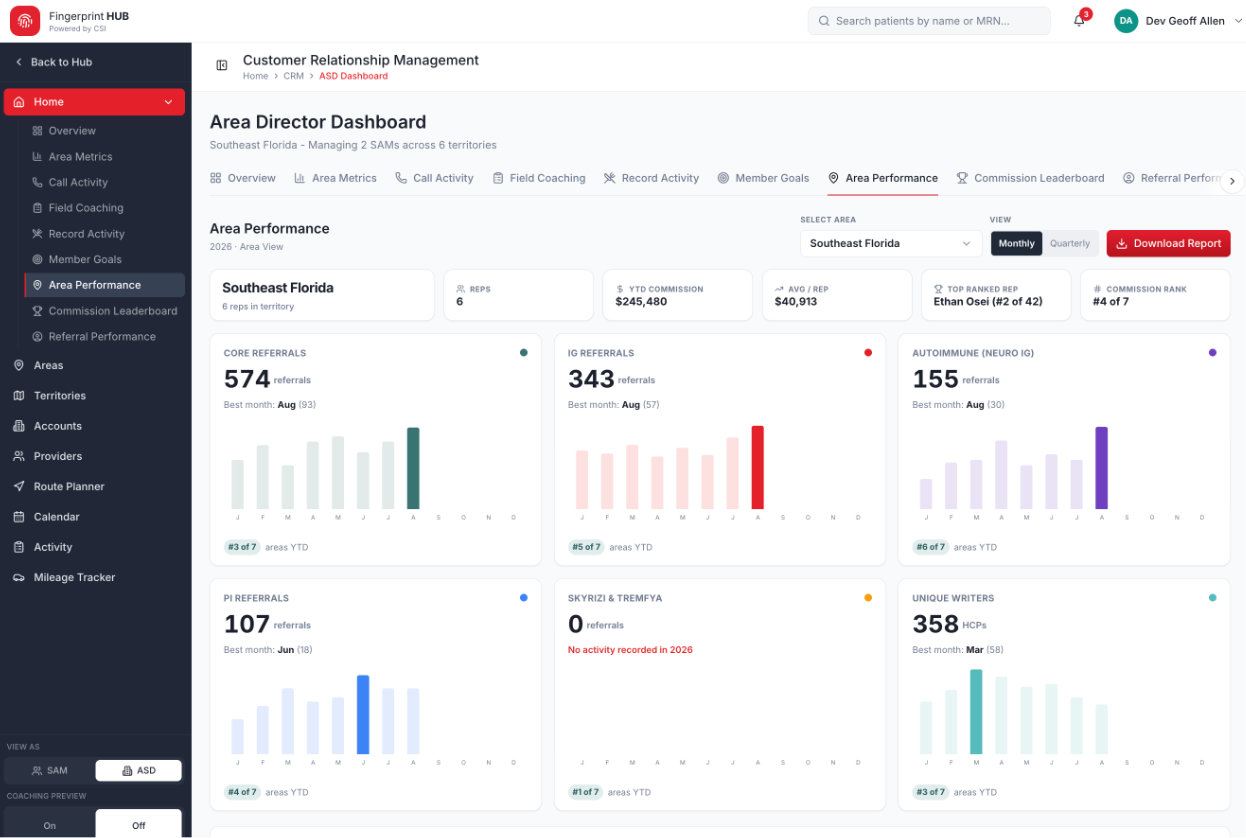
Built a ShadCN-based design system that teaches AI tools like Claude and Vercel v0 to generate consistent, on-brand interfaces.
Product Designer
2026
My role
Created the system, its documentation, and the prompting rules that guide AI tools.
What changed
AI-generated screens started from shared components and patterns instead of one-off styles.
Scope & context
The team was designing with Claude Design and Vercel v0, which drifted without guardrails.
Outcome
More consistent AI output, reusable patterns, and faster product development.
AI tools are fast, but inconsistent
Generating UI with AI sped up exploration, but every prompt produced slightly different spacing, colors, and components. Without a shared foundation, speed turned into cleanup.
A system written for people and models
I built the system on ShadCN components and documented it so both designers and AI tools could follow it.
- Tokens for color, type, spacing, and radius
- Reusable component patterns for common enterprise screens
- Prompting guidance so Claude and Vercel v0 reach for the system first
Guardrails for AI features too
The same thinking shaped an AI notification summarizer, with validation logic and prioritization rules that turn high-volume alerts into concise, actionable insights.
Results & lessons
AI-generated interfaces became consistent enough to build on. The bigger lesson: a design system is now also a prompt — the clearer the rules, the better the output.
Full case study coming soon.
Next case study
Optum Rx public experience